
The Priority Pass app makes it easier to find airport lounges & experiences, review lounge access requirements, save favorite locations, explore additional travel services, and manage eligible digital membership credentials.
The Priority Pass app helps members discover airport lounges, explore airport experiences, and access their membership while travelling.
Available for Android and iOS, the app brings lounge search, digital membership credentials, saved favourite airport experiences, and membership information together in one place.
Whether you are preparing for your first airport lounge visit or travel regularly, knowing how to use the app can make planning easier.
This guide covers how to download the Priority Pass app, activate your digital membership card, find airport lounges, discover travel services, and resolve common application access problems.
What Is the Priority Pass App?
The Priority Pass app is a free mobile application that helps members manage their membership and discover participating airport lounges and experiences worldwide.
Depending on your membership, you can use the app to access your Digital Membership Card, check lounge facilities, review available membership information, and save preferred locations.
The app is available through the Google Play Store and Apple App Store. Downloading the app is free, but lounge access depends on your membership benefits and the applicable entry conditions.
Key Features of the Priority Pass App
The Priority Pass app brings essential membership tools and airport information together in one place.
From accessing your Digital Membership Card to finding airport lounges, checking facilities, and saving favourite locations, its features help you plan your airport experience with greater convenience.
1. Digital Membership Card
Digital Membership Card provides a convenient way to present your membership when entering the participating airport lounges and experiences.
Eligible members can access it through the app without carrying their physical card. However, digital membership cards are not available with every membership.
If your subscription plan supports this feature, follow the in-app activation instructions. You can also add your digital card to Apple Wallet where supported.
2. Find Airport Lounges and Experiences
Use the lounge search feature to find participating airport lounges and other experiences, including selected dining and wellness facilities.
Individual listings provide useful information such as terminal location, opening hours, available amenities, and entry requirements.
You can check these details on your Priority Pass app before travelling because access conditions and availability vary by location.
3. Membership Entitlements and Visit History
The app can display membership information, including visit history and entitlements where supported. This helps you understand your available benefits before visiting an airport lounge.
Real-time entitlement updates and visit-history access may vary depending on your membership provider.
If your membership comes with a bank card, check the card issuer’s terms of service if certain information is unavailable on the app.
4. Save Favourite Lounges
Save preferred lounges and airport experiences to your favourites for easier access when planning future trips.
This is particularly a useful feature if you frequently travel through the same airports or want to compare lounge facilities before departure.
5. Airport Maps and Navigation
At selected airports, indoor maps can help you navigate terminals and locate airport facilities.
Map availability is limited to supported airports, so check whether navigation features are available at your destination.
6. Travel Services
Priority Pass travel services let members explore additional travel options through the Priority Pass app, including airport parking, transfers, car hire, Meet & Assist, destination experiences and on-demand workspaces.
Availability varies by location, and additional charges apply. These services cannot be redeemed using lounge visit entitlements and are currently accessible through the mobile app.
Priority Pass App Download and Specifications
The Priority Pass app is available for both Android and Apple devices, allowing members to find airport lounges, access eligible digital membership cards, and manage their membership on the go.
Check the app specifications below to confirm compatibility with your device before downloading.
Priority Pass App Specifications for Android Users
| Specification | Details |
|---|---|
| App name | Priority Pass |
| Developer | Priority Pass Limited |
| Platform | Android |
| Price | Free to download |
| Downloads | 5M+ |
| User rating | 4.7/5 |
| Content rating | Everyone |
| Last updated | October 5, 2026 |
| Download | Google Play Store |
Priority Pass App Specifications for Apple Users
| Specification | Details |
|---|---|
| App name | Priority Pass |
| Developer | Priority Pass Ltd |
| Platform | iPhone and iPad |
| Price | Free to download |
| App size | 256.3 MB |
| Age rating | 4+ |
| Languages | English and 14 more |
| User rating | 4.8/5 |
| Ratings submitted | 500K |
| Download | Apple App Store |
Note: App ratings, file size, download counts, and other specifications may change as the app is updated. Check the relevant app store for the latest details.
How to Download and Set Up the Priority Pass App
Getting started with the Priority Pass application is straightforward. Download the app from the official app store, register or log in to your account using your credentials, and activate your Digital Membership Card if your membership supports it.
Follow these steps to make your app ready before your next airport visit.
Step 1: Download the Official App
Install the Priority Pass app from Google Play or the Apple App Store. Check the developer name to ensure you download the official Priority Pass application.
Step 2: Register or Log In
If you already have a Priority Pass membership and an online account, log in using your existing details. New members may need to activate their online account first.
If your membership comes through a credit card or another provider, follow the registration instructions supplied with that benefit.
Step 3: Activate Your Digital Membership Card
Open the card section in the app. Depending on your membership, the Digital Membership Card may appear automatically, or you may need to activate it.
Some members must enter or scan their physical membership card details to complete activation. If the digital card is unavailable, check your membership eligibility or contact your card issuer.
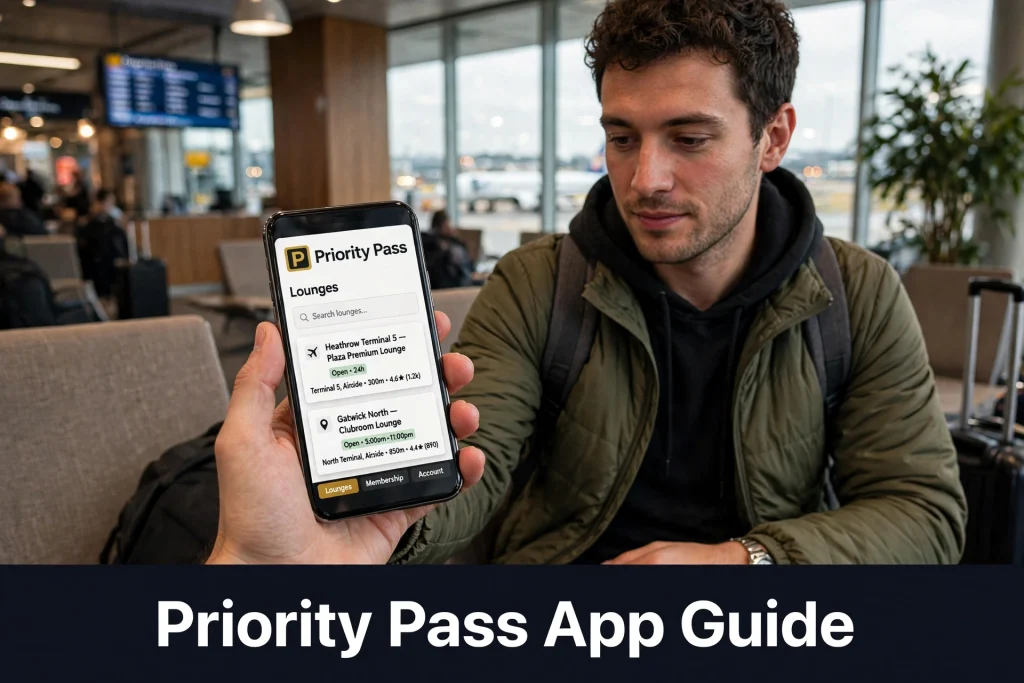
How to Use the Priority Pass App at an Airport
Follow these steps before visiting a lounge:
- Search your airport: Find participating lounges and experiences at your departure airport.
- Check the listing: Review the terminal, opening hours, facilities, and access requirements.
- Confirm your eligibility: Make sure the lounge accepts your membership and the entry method you intend to use.
- Open your membership card: Access your Digital Membership Card before reaching the reception desk.
- Present your credentials: Show the accepted membership card and boarding pass when required.
- Check additional conditions: Review guest charges, visit entitlements, and any pre-booking requirements.
Some lounges offer advance reservations, but availability and pre-booking conditions vary. A listing in the app does not guarantee immediate lounge entry, as lounges may restrict access when capacity is limited.
Common Priority Pass App Problems and Fixes
1. I Cannot Log In
Check that your login details are correct and use the account recovery option if necessary. If the problem continues, contact Priority Pass customer support or your membership provider.
2. My Digital Membership Card Is Missing
Not every membership with Priority Pass supports a digital card. Confirm that your membership is eligible, your online account is activated, and you have completed any required card activation steps.
3. The Digital Card Will Not Load
Try opening the digital card in your app before reaching the lounge and ensure your phone has sufficient battery. If the card remains unavailable, use your physical membership card if accepted.
4. A Lounge Is Missing from the Search Results
Check the airport and terminal details, then search the current lounge directory again. Participating locations can change, and not every lounge is available under every membership.
5. My Visit History or Entitlement Is Incorrect
Information may not update in real time or may be unavailable through certain membership providers. Contact your card issuer or Priority Pass support to confirm your benefits and visit records.
Frequently Asked Questions
Can I use Priority Pass without a physical card?
If your membership supports the Digital Membership Card, you can use it at participating lounges that accept this entry method. Check the lounge listing before travelling.
Can I add my Priority Pass card to Apple Wallet?
Eligible members can add their Digital Membership Card to Apple Wallet where supported. Availability depends on your membership and the current app features.
Does the Priority Pass app show all airport lounges?
The app provides a directory of participating lounges and experiences. However, the locations available to you and your eligibility to enter them depend on your membership terms and individual lounge conditions.
Can I check my remaining Priority Pass visits in the app?
Membership entitlements may be displayed in the app, but real-time notifications and visit-history access vary by membership provider. Check with your card issuer if this information is missing.
Conclusion
The Priority Pass app makes it easier to find airport lounges, review access requirements, and manage eligible digital membership credentials. For the best experience, download the official app, activate your account before travelling, and check each lounge’s current entry conditions. Keep your physical membership card available as a backup if your membership supports one.